• Market Cap: $3,235,495,842,234.03
  • 24h Vol: $131,669,546,789.76
  • BTC Dominance: 57.50%
XBT.Market
Advertisement
  • Home
  • Coins MarketCap
  • Crypto Exchanges
  • Crypto Calculator
  • Top Gainers and Loser
  • News
  • Contact Us
No Result
View All Result
XBT.Market
No Result
View All Result
Home Bitcoin

Proton Wallet Review: A Bitcoin Software Wallet That Simplifies Transactions

Jon Hartney by Jon Hartney
August 29, 2024
in Bitcoin, Blockchain, Business, Market
0
Proton Wallet Review: A Bitcoin Software Wallet That Simplifies Transactions
189
SHARES
1.5k
VIEWS
Share on FacebookShare on Twitter

Proton, the Swiss company behind ProtonMail and ProtonVPN, has released a beta version of the newest offering in its suite of products that help to preserve online privacy — Proton Wallet.

The wallet is great for those looking to send bitcoin on-chain with relative ease, but it leaves some to be desired for more advanced users or for those who want to make smaller payments quickly and cheaply.

Pros And Cons

Proton Wallet’s standout feature is that it allows you to send bitcoin using nothing more than a recipient’s email address, which doesn’t have to be a ProtonMail address. The non-custodial bitcoin-only wallet is also free to use and has an easy-to-navigate user interface (UI).

However, it lacks in that it only allows users to make transactions on the Bitcoin base chain — not over Lightning — which can take upwards of hours to settle, and it doesn’t allow users to manage their UTXOs or adjust fees. Plus, it’s a software wallet and cannot be disconnected from the internet like a hardware wallet, which increases the risk of the wallet’s private keys being compromised.

Getting Started With Proton Wallet

To use the beta version of the product, you need an invitation either from the company or another user. The wallet is currently available via web browser and as an Android app and takes 5 to 10 minutes to set up and begin using.

Once you’ve received an email invitation to use the wallet, you can click on the “Start using Proton Wallet” link in the invitation email to get started setting it up. (Email addresses have been blacked out below and throughout this review to preserve privacy.)
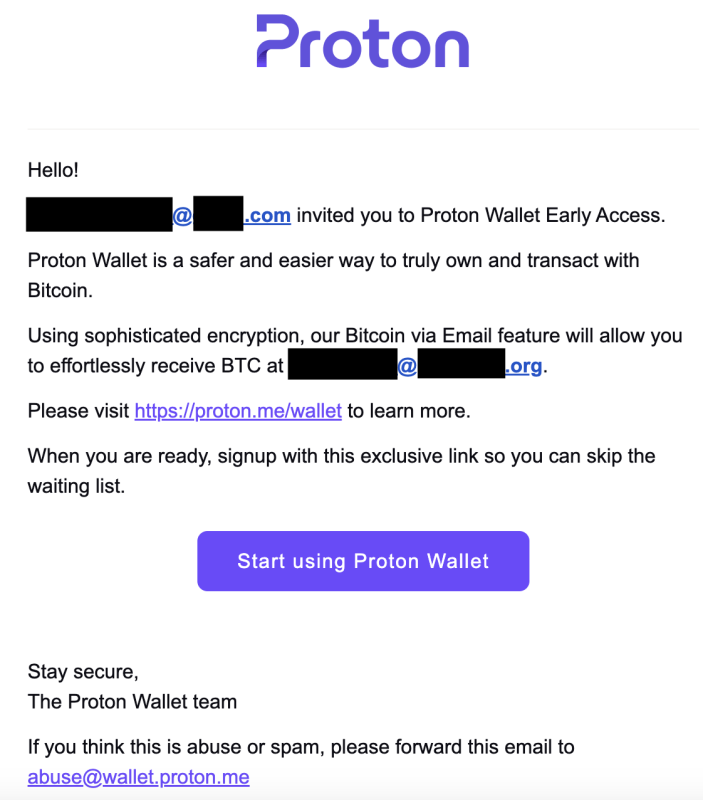
Invitation email for Proton Wallet

You’ll be taken to a “wallet setup” page where you’ll simply click a button to get started with Proton Wallet. You won’t be prompted to write down the 12-word seed phrase as you set up the wallet, which was a nice touch by Proton to help users to more simply get started using the wallet. You can write down the seed phrase later if you please, though.
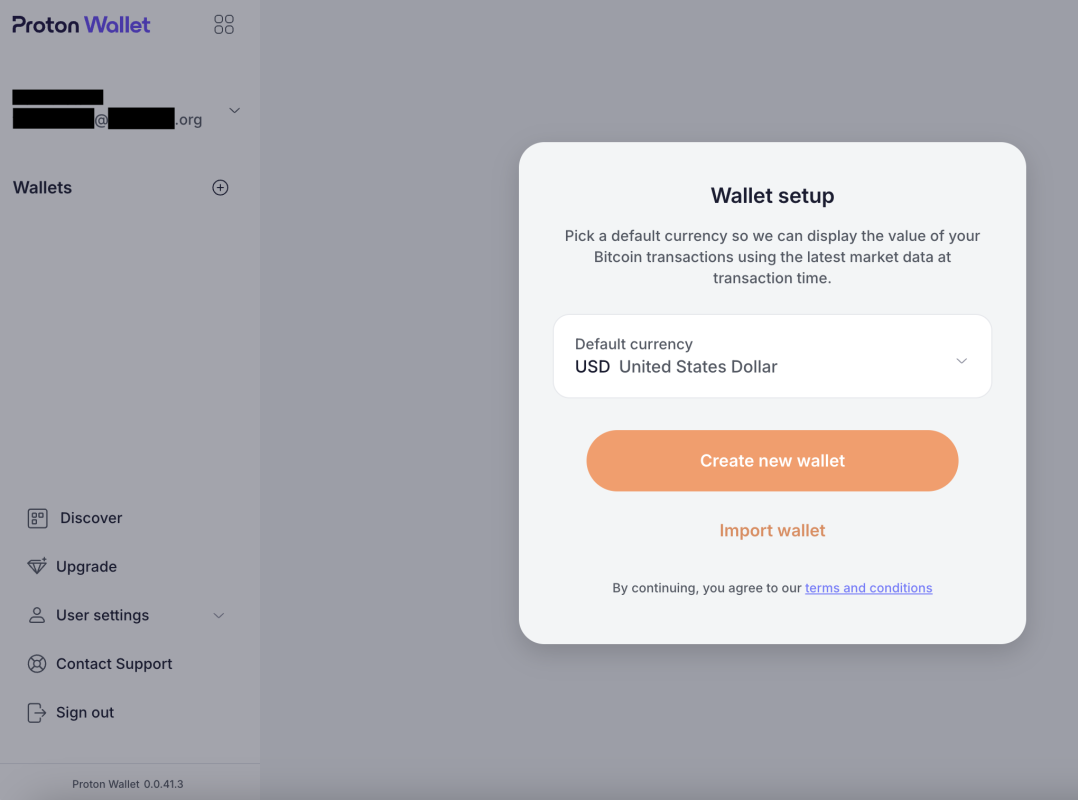
Wallet setup

As you set up the wallet, Proton makes it clear that your Proton Wallet is a non-custodial Bitcoin wallet, which means that managing the wallet is your responsibility and your responsibility alone.
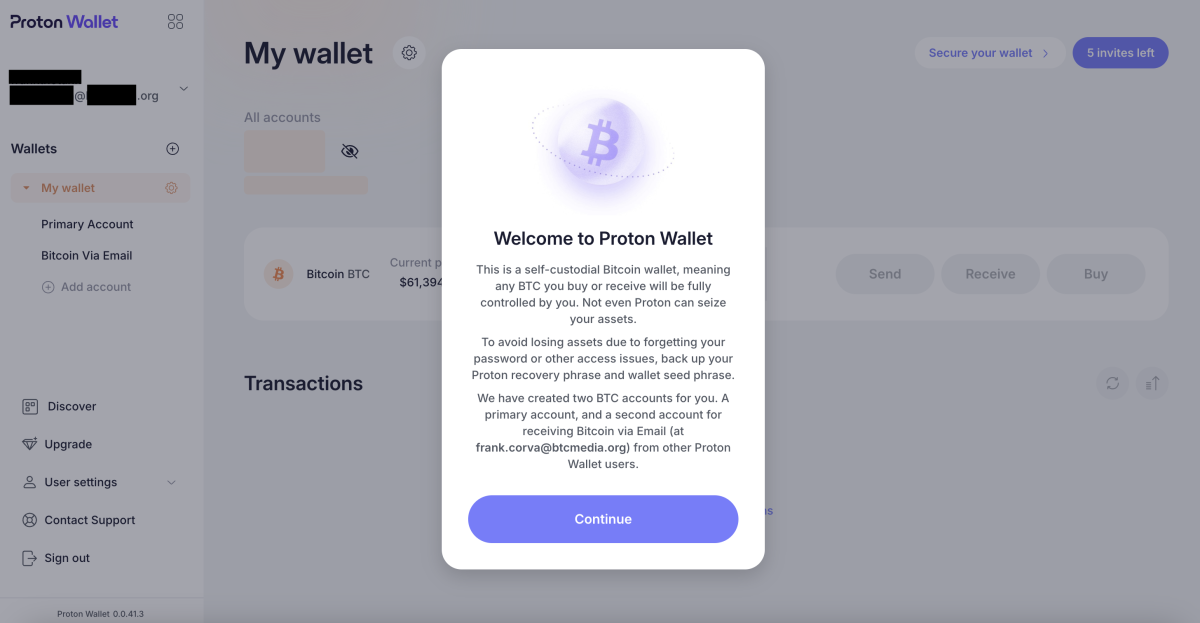
Warning message

The home screen of the wallet is straightforward and incredibly easy to navigate. It’s as pared down so as to include little more than the basics you need to send, receive and buy bitcoin.
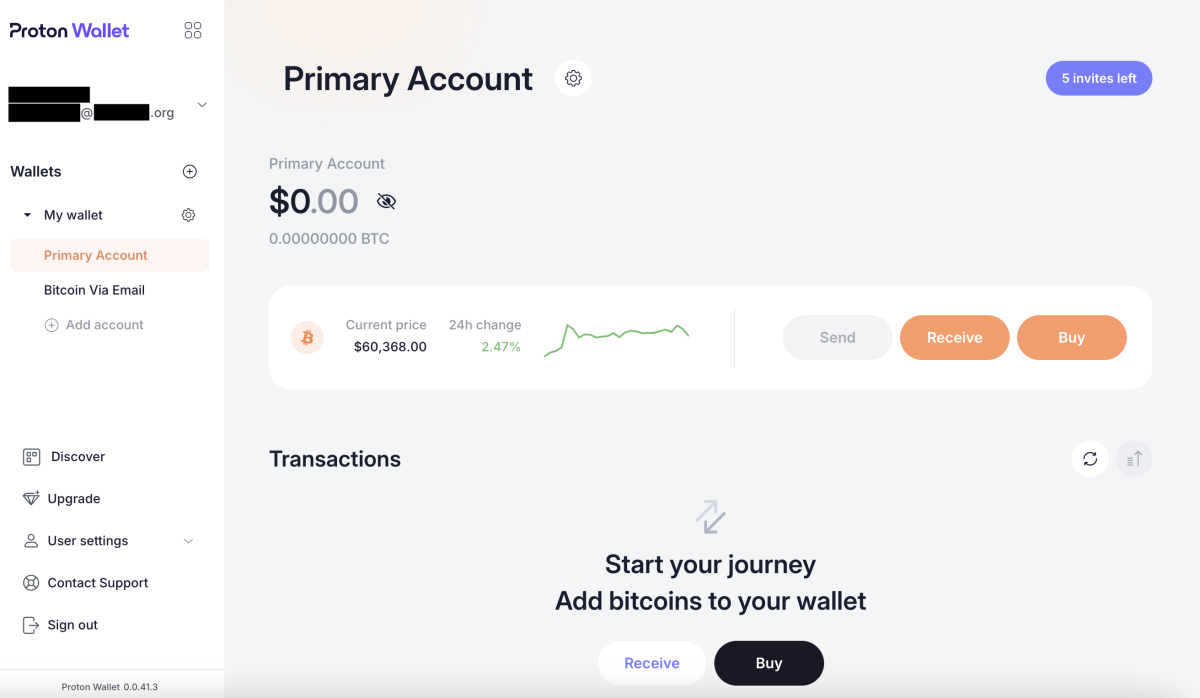
Home screen

Depositing Bitcoin In Proton Wallet

To begin using the wallet, you’ll first have to deposit some bitcoin. You can deposit bitcoin from another wallet you manage. To do so, you’ll need to copy the bitcoin address by clicking on the “Receive” button on the home screen and then clicking the “Copy Bitcoin address” button in the window that pops up on the right of the screen.
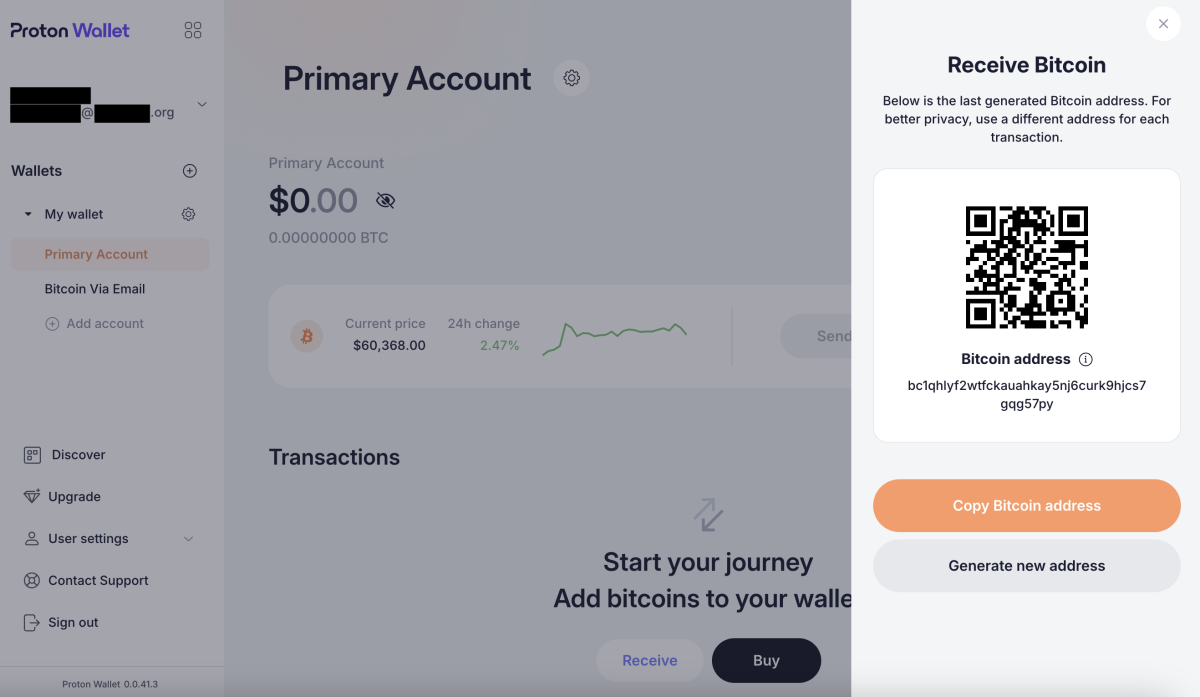
Receiving bitcoin

You’ll copy that address into the proper field from the wallet you’re sending it from. It’s good practice to double check that the address you’ve pasted matches the address you’ve copied.
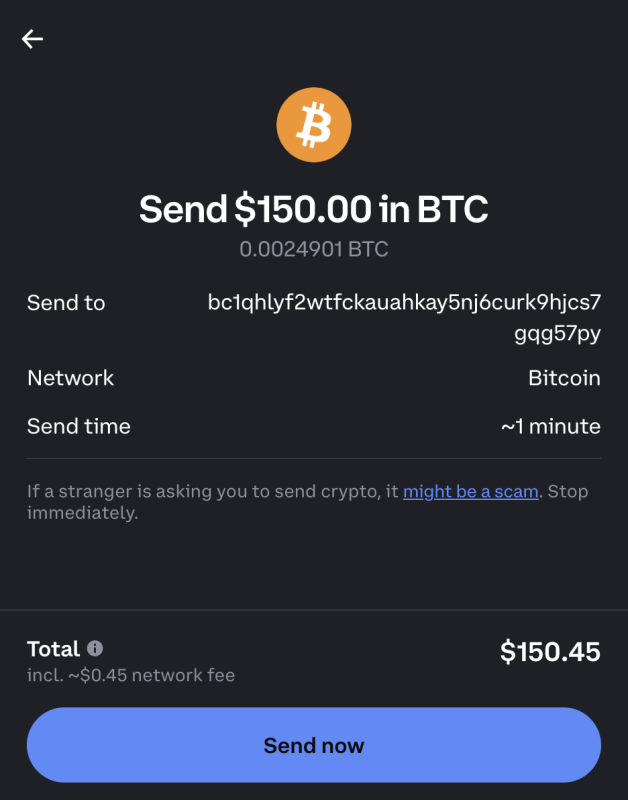
Sending bitcoin from an exchange

The bitcoin won’t appear in your Proton Wallet balance immediately. It usually takes at least a few minutes for the transactions to process, as this depends on how long it takes for block confirmations to occur. Some transactions can take much longer — upwards of hours.

You can see that the funds are on their way, though, in the “Transactions” section of the home screen. You’ll continue to see an “In progress” notification until the necessary amount of block confirmations has occurred.
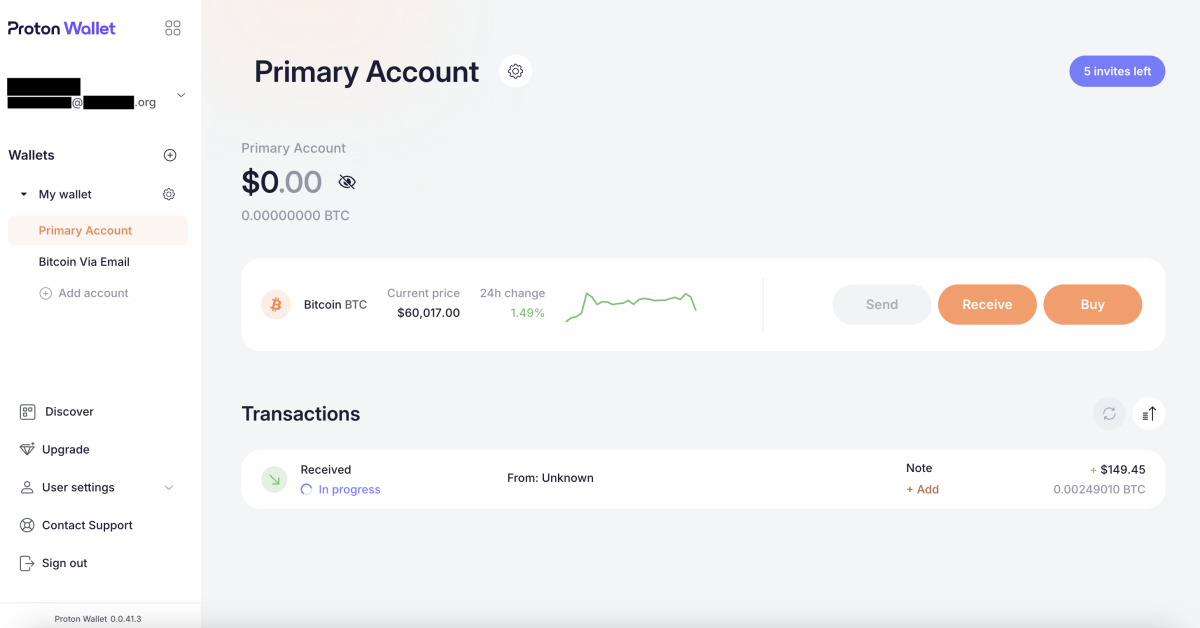
“In progress” notification

Buying Bitcoin With Proton Wallet

If you don’t have any bitcoin to send to your Proton Wallet, you can also use the wallet to buy some. This process is relatively straightforward.

You can click the “Buy” button on the home screen and you’ll be taken to a page that serves as an interface for crypto asset service providers Ramp and Banxa.
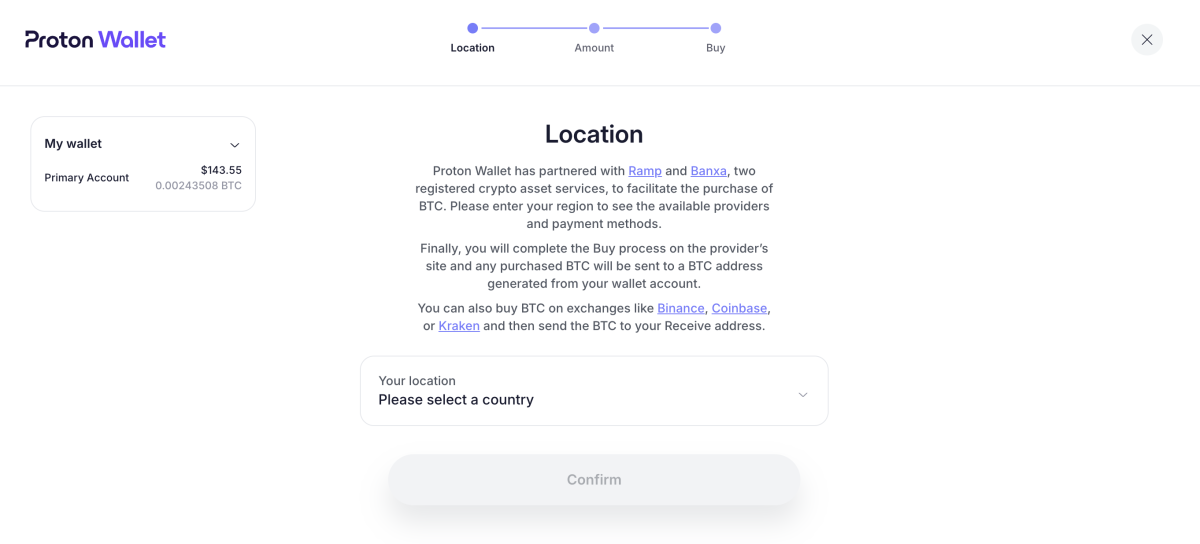
Selecting your location

Complete the fields for how much bitcoin you want to purchase, choose whether you want to use Banxa or Ramp and select your payment method.
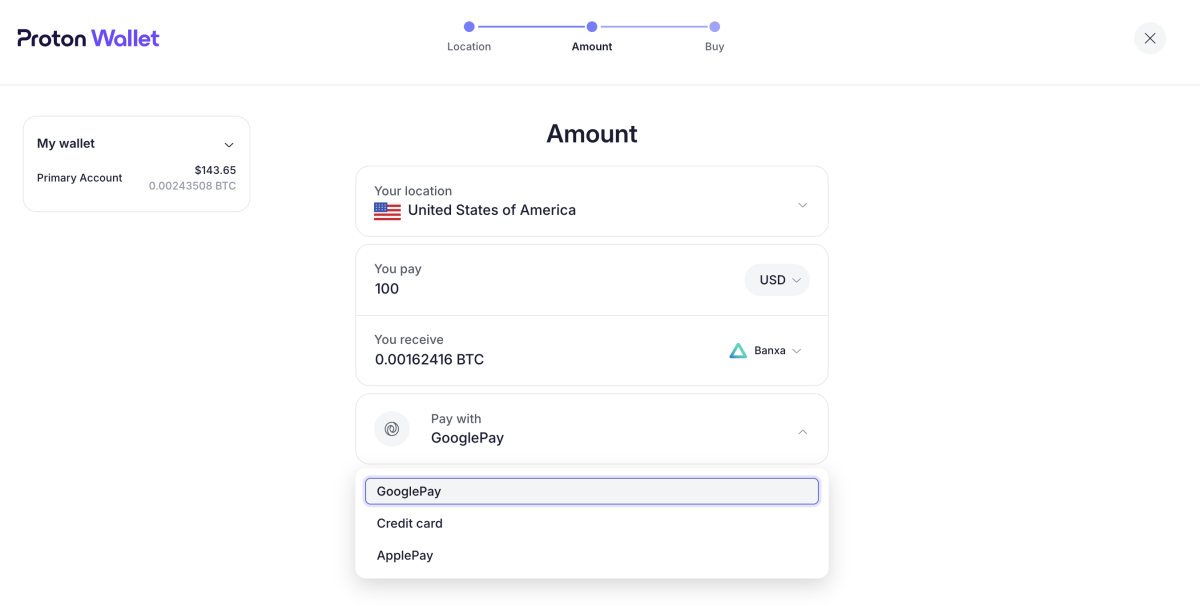
Selecting your payment method

Instructions from this point vary depending on the payment method you choose.

Sending Bitcoin With Proton Wallet

You can send bitcoin as simply as clicking the “Send” button on the home screen and then inputting either a bitcoin address or an email address. Note that your recipient doesn’t need a ProtonMail address.

I used an email address to send some bitcoin.
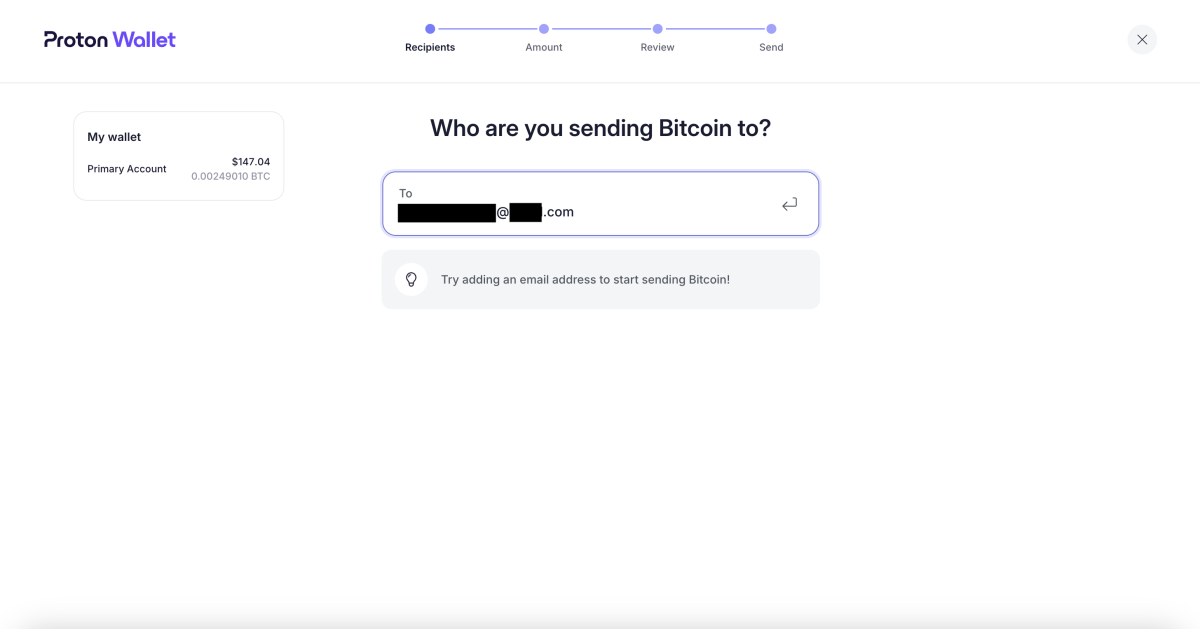
Sending bitcoin with an email address

Next, you’ll be taken to an “Amount” page, where you’ll input the amount of bitcoin you’d like to send, denominated either in either a fiat currency or sats.
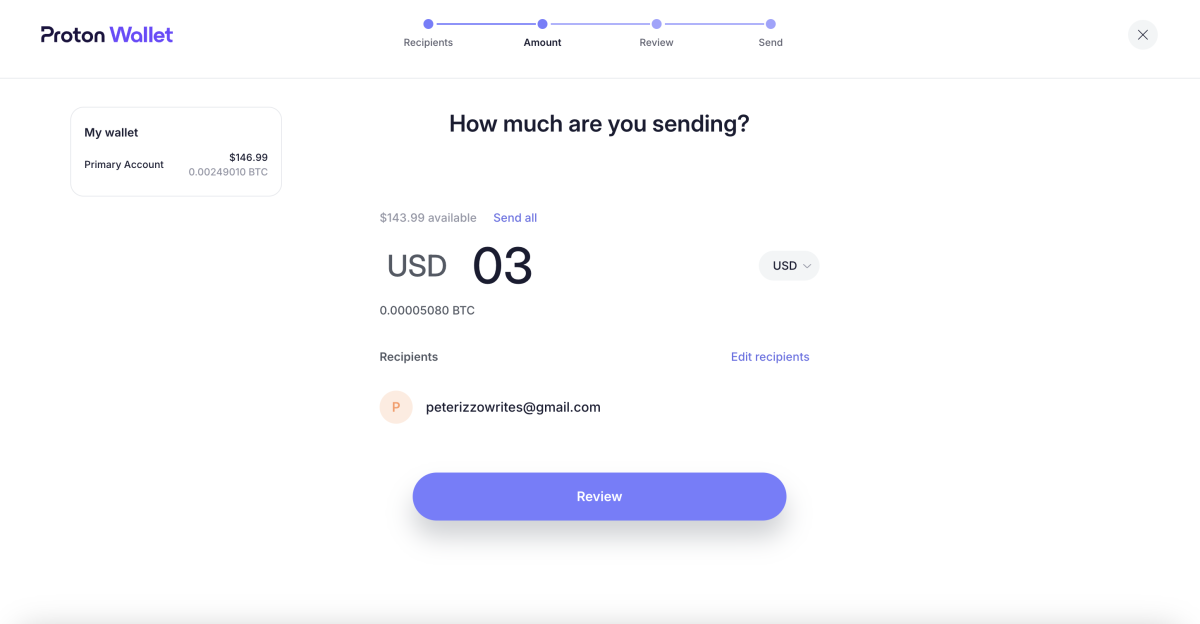
Selecting the US dollar amount of bitcoin to send

On the “Review” page, you can leave a message for the recipient. It’s optional to do so.

On this page, you’ll also be presented with the total amount of your transaction, including the network fee, which is non-configurable (you can’t pay higher fees for faster transfers as you can with many other wallets).

You won’t be presented with the option to select UTXOs to spend, an option that a desktop Bitcoin wallet like Sparrow provides you with.

If you’re comfortable with the amount you want to send and the fee, you can click the “Confirm and send” button.
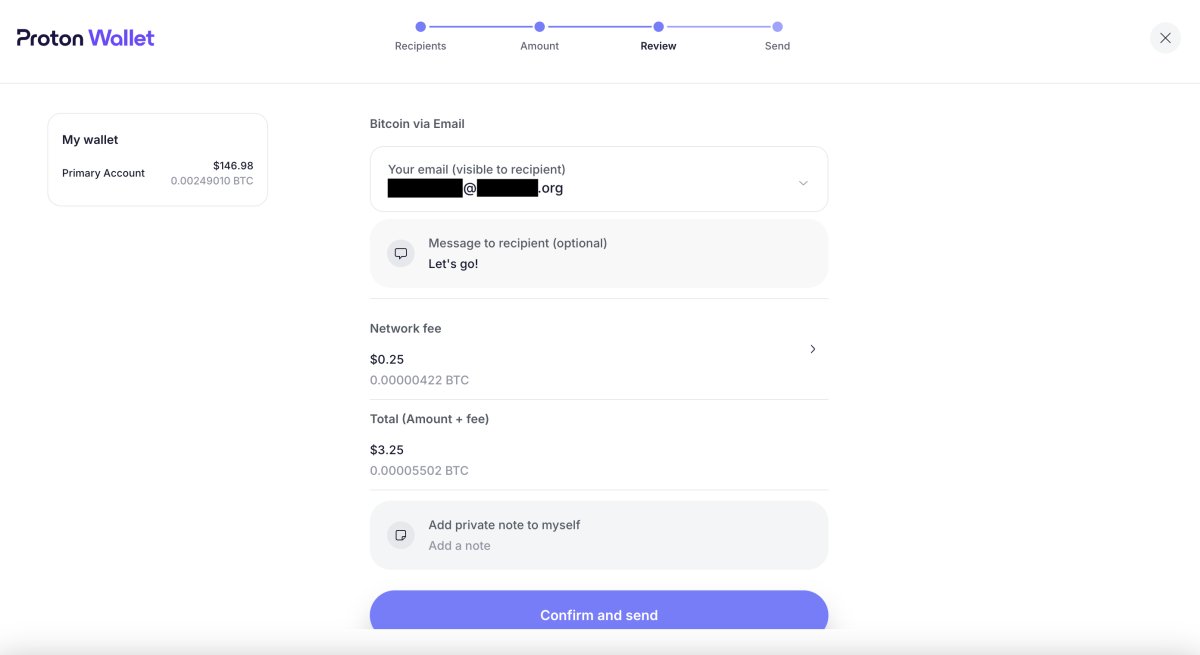
Reviewing transaction details

You’ll be able to see whether or not your transaction has cleared by looking at the “Transactions” section.

In my case, the recipient was notified that the bitcoin was on the way before the transaction received the required number of confirmations on the blockchain.
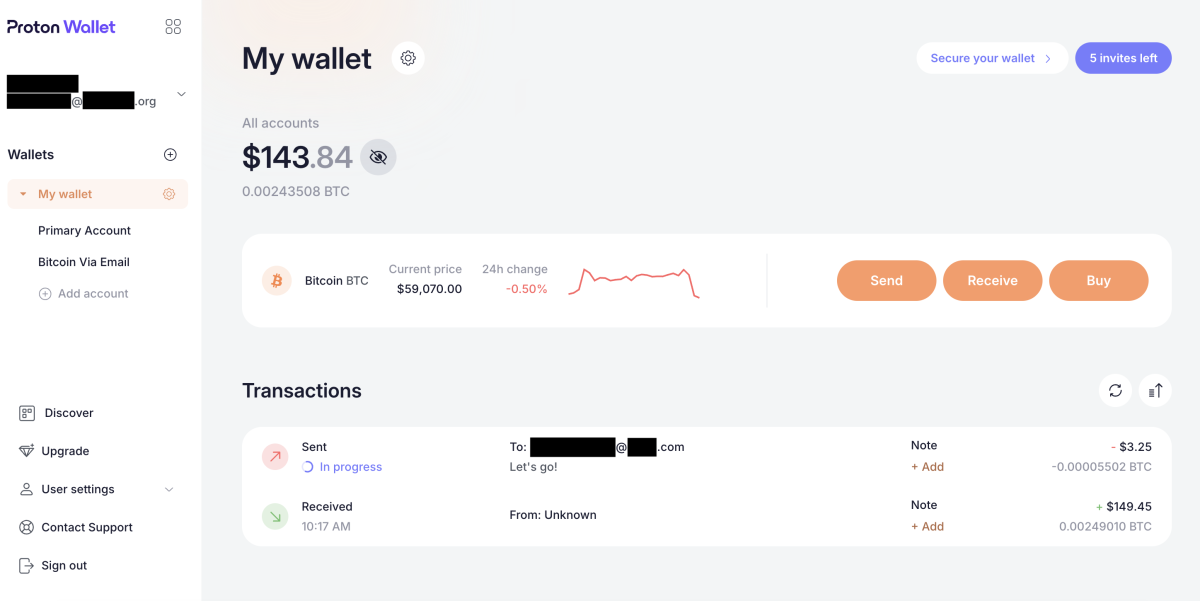
Transaction details appear at the bottom of the home screen

This particular transaction took over an hour to complete.

Securing Your Proton Wallet

Proton Wallet lets you secure and back up your wallet in different ways.

The first level of security for the wallet is the password you use to log in to it, which you create when you set up the wallet.

Proton Wallet lets you add a second level of security by offering two-factor authentication (2FA).

To set this up, you can click on the “Secure your wallet” tab in the top right hand corner of the home screen. You’ll then be presented with the option to set up 2FA for your wallet.
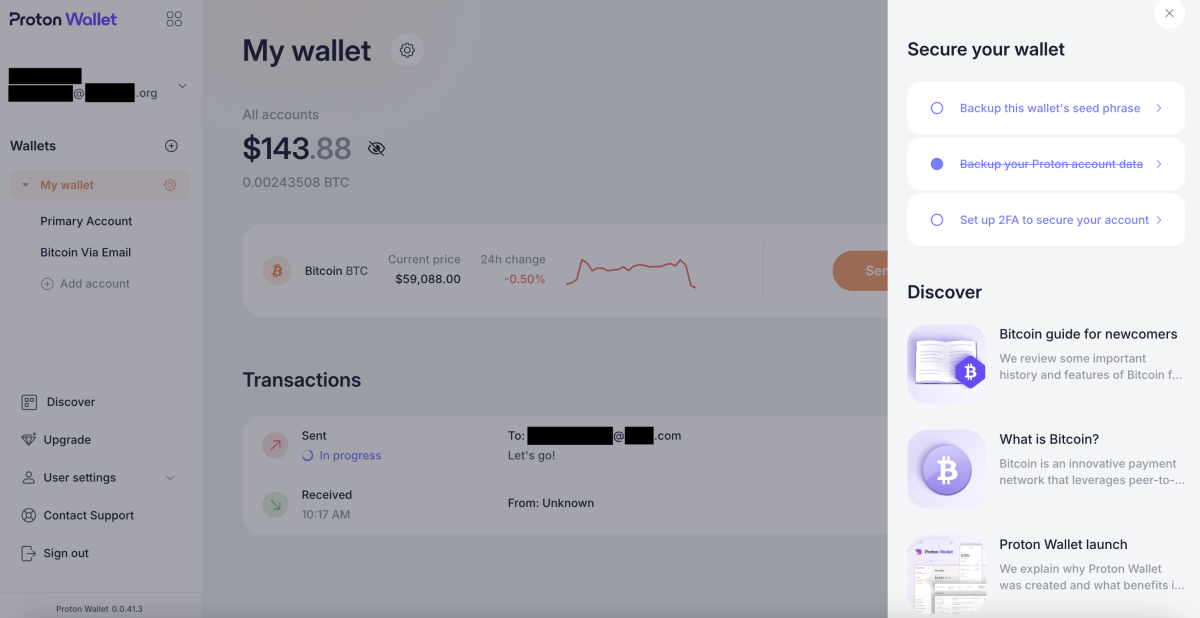
Securing your wallet

If you want to add 2FA protection to your account, you can click the “Set up 2FA to secure your account” button. When you do so, you’ll be taken to a page on which you can toggle a switch to set up 2FA for the account. If you choose to do this, toggle the “Authenticator app” switch and follow the subsequent instructions.
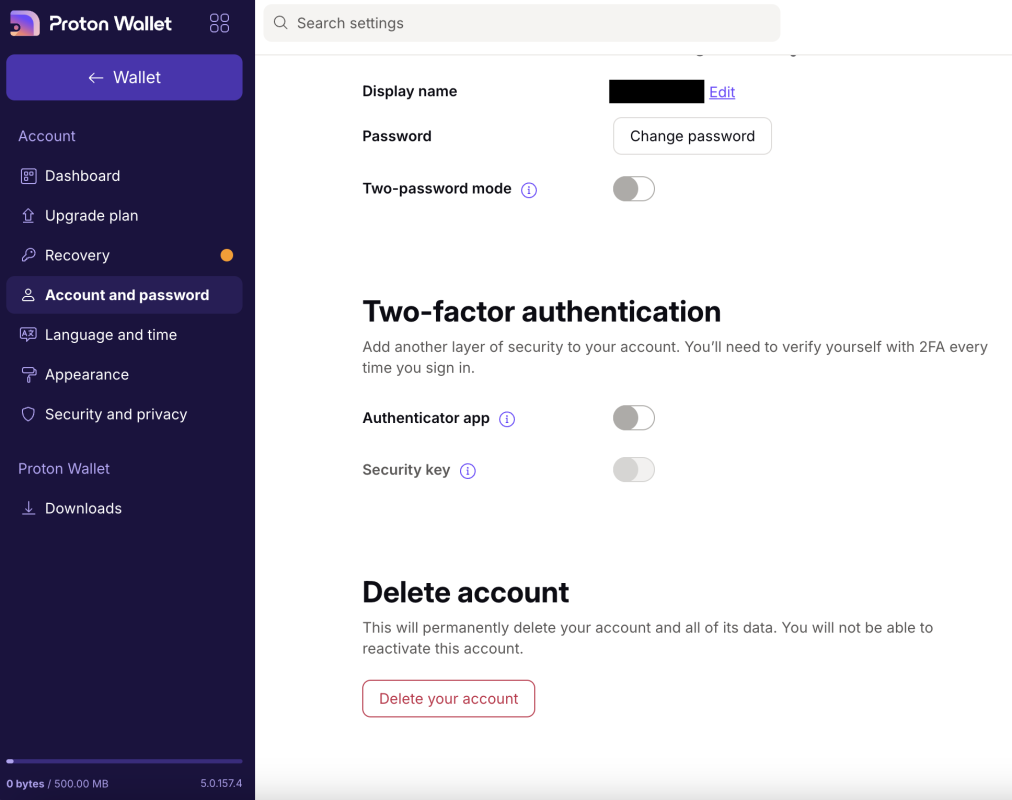
Enabling 2FA

Backing Up Your Proton Wallet

Proton Wallet allows you to back up your wallet’s seed phrase whenever you’d like. To do so, you can click on “Backup this wallet’s seed phrase” on the home screen.

You’ll then be taken to a screen that explains what a seed phrase is and why it’s important to safely back it up. Click the “View wallet seed phrase” button to view the seed phrase for your wallet.

It’s best practice to store your seed phrase offline (e.g., written on a piece of paper or imprinted on steel) so that it can’t be compromised.
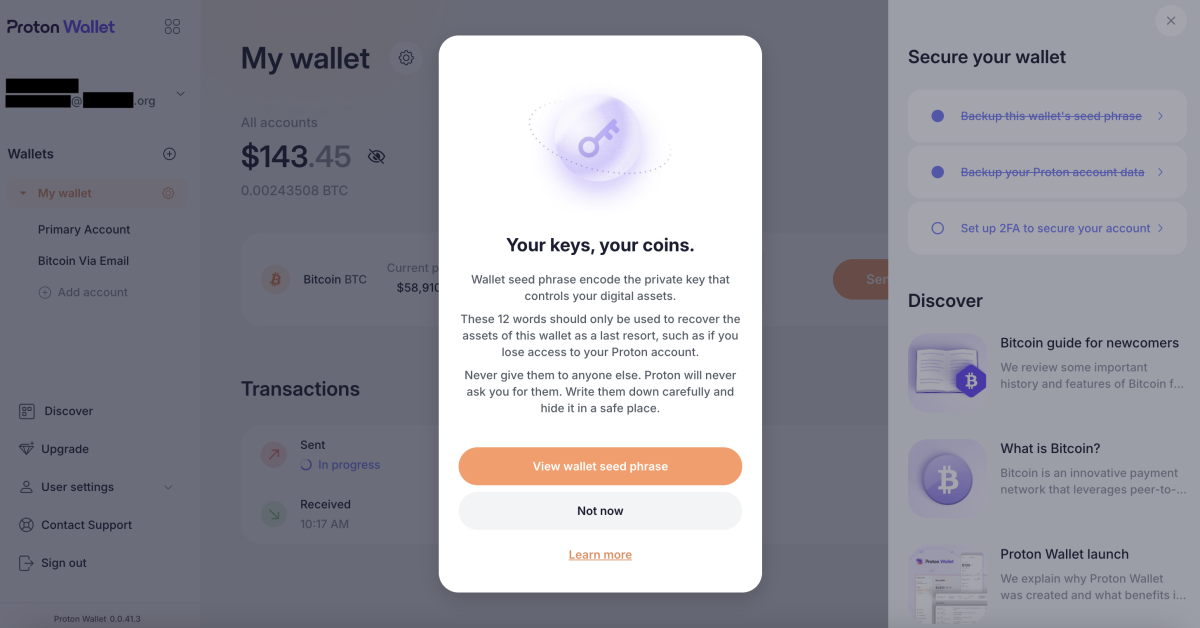
Obtaining your seed phrase

Discover and Customer Service

Proton Wallet has a substantial “Discover” section in which you can learn more about everything from what Bitcoin is to Proton Wallet’s security model.
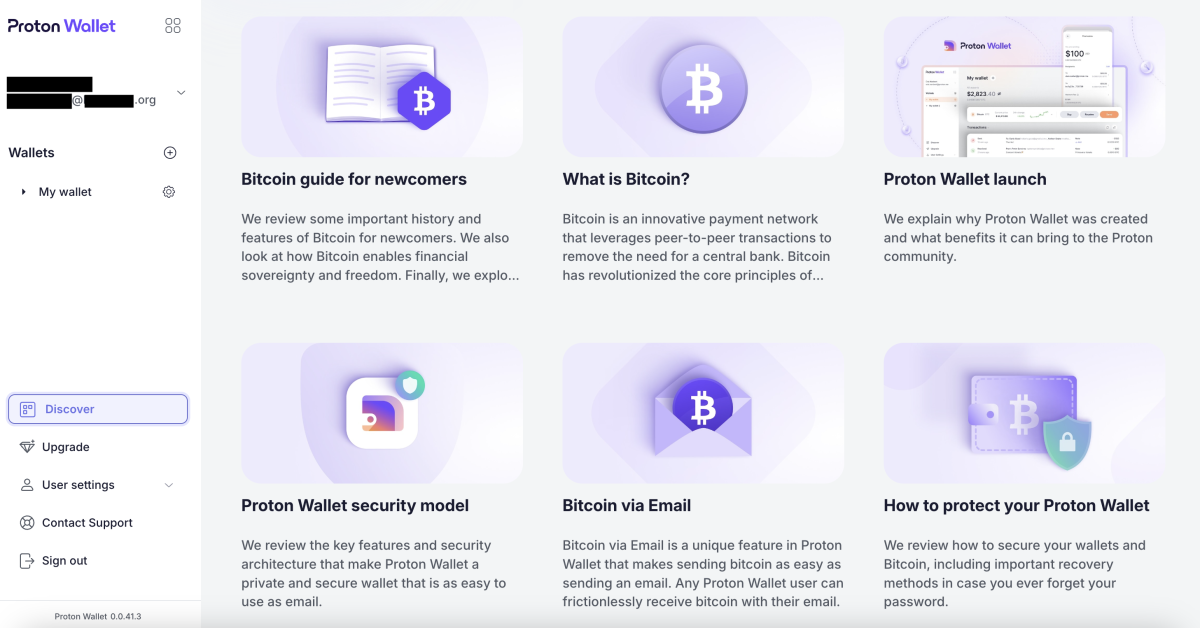
The “Discover” section

Proton also makes it relatively easy for you to get in touch with customer service staff, though, response times are currently unknown.
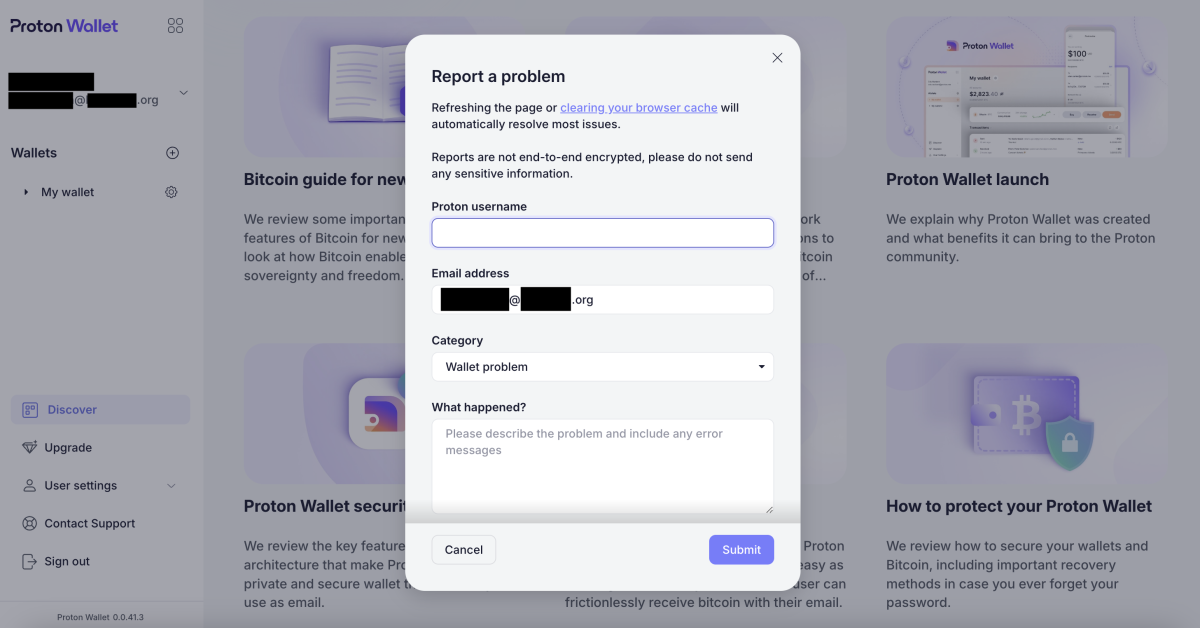
Contacting customer service

Conclusion

Proton Wallet is a good Bitcoin wallet for beginners, especially those looking to send bitcoin with relative ease, using nothing more than an email address.

Related articles

Ethereum’s 4-Hour Chart Says A Big Dump Is Coming, Here’s The Target

Ethereum’s 4-Hour Chart Says A Big Dump Is Coming, Here’s The Target

January 19, 2026

How Bitcoin mining heat is being tested to warm Canadian greenhouses

January 19, 2026

The pros of this non-custodial wallet are that it’s free to use, easy to set up and secure. It’s also bitcoin only and open-source.

However, one notable con of the wallet is that it only allows you to transact on the bitcoin base chain, which means your transactions may incur high fees and take over an hour to fully process. For this reason, you wouldn’t want to use Proton Wallet if you’re looking to make cheap, fast micropayments — the types of transactions you can make over Lightning.

Another drawback of the wallet is that it doesn’t permit you to manage UTXOs or select transaction speed and fees. And it’s a software wallet, which means it’s less secure than a hardware wallet in certain regards.

With that said, if you’re new to Bitcoin and already familiar with the interfaces for Proton products, then this wallet may be a good option for you.

Read Entire Article
Tags: bitcoinMagzineCryptocurrencyInvestmentMining Bitcoin
Share76Tweet47

Related Posts

Ethereum’s 4-Hour Chart Says A Big Dump Is Coming, Here’s The Target

Ethereum’s 4-Hour Chart Says A Big Dump Is Coming, Here’s The Target

by Jon Hartney
January 19, 2026
0

The Ethereum (ETH) 4-hour chart is flashing warning signs as price hovers around a critical support zone After months of...

How Bitcoin mining heat is being tested to warm Canadian greenhouses

by Jon Hartney
January 19, 2026
0

Can Bitcoin mining heat grow food A Manitoba pilot explores using crypto server heat to cut greenhouse energy costs and...

XRP price slips below $2 despite ETF demand, robust network

by Jon Hartney
January 19, 2026
0

XRP price plunged below $2 amid a market-wide sell-off as strong spot ETF inflows and a surge in XRP Ledger...

Blockspace Acquires Bitcoin Layers to Expand Bitcoin L2 Data Intelligence

Blockspace Acquires Bitcoin Layers to Expand Bitcoin L2 Data Intelligence

by Jon Hartney
January 19, 2026
0

Bitcoin Magazine Blockspace Acquires Bitcoin Layers to Expand Bitcoin L2 Data Intelligence Blockspace Media has acquired Bitcoin Layers, an independent...

Why Is Bitcoin And Crypto Down Today? Key Drivers Behind The Move

Why Is Bitcoin And Crypto Down Today? Key Drivers Behind The Move

by Jon Hartney
January 19, 2026
0

Bitcoin slid to $91,920 late Sunday in New York, down 38% from roughly $95,500, as a sharp risk-off impulse hit...

Load More
  • Trending
  • Comments
  • Latest
SUI Price Hits All-Time High – But Questions About Valuation Remain

SUI Price Hits All-Time High – But Questions About Valuation Remain

October 17, 2024
Dogecoin Holder Base Falls To 6-Month Low, But Analyst Believes DOGE Price Is Headed To $10

Dogecoin Holder Base Falls To 6-Month Low, But Analyst Believes DOGE Price Is Headed To $10

October 17, 2024
Solana Targets $160 Resistance As TVL Hits New Yearly Highs

Solana Targets $160 Resistance As TVL Hits New Yearly Highs

October 17, 2024
Bitcoin Price Holds Firm: Can It Power Toward New Gains?

Bitcoin Price Holds Firm: Can It Power Toward New Gains?

October 17, 2024
All aboard! Elon Musk’s Vegas Loop now taking Dogecoin payments

All aboard! Elon Musk’s Vegas Loop now taking Dogecoin payments

0
Crypto owners banned from working on US Government crypto policies

Crypto owners banned from working on US Government crypto policies

0
Korean startup Uprise lost $20M shorting LUNC

Korean startup Uprise lost $20M shorting LUNC

0
Ethereum testnet Merge mostly successful — ‘Hiccups will not delay the Merge.’

Ethereum testnet Merge mostly successful — ‘Hiccups will not delay the Merge.’

0
Ethereum’s 4-Hour Chart Says A Big Dump Is Coming, Here’s The Target

Ethereum’s 4-Hour Chart Says A Big Dump Is Coming, Here’s The Target

January 19, 2026

How Bitcoin mining heat is being tested to warm Canadian greenhouses

January 19, 2026

XRP price slips below $2 despite ETF demand, robust network

January 19, 2026
Blockspace Acquires Bitcoin Layers to Expand Bitcoin L2 Data Intelligence

Blockspace Acquires Bitcoin Layers to Expand Bitcoin L2 Data Intelligence

January 19, 2026

XBT.Market

This website is an automated news feed powered by the Nebulome cloud system. The site is made possible by YYC TECH Consulting and Alberta Digital Mining Company. As a team with major crypto and bitcoin enthusiasm, we have curated major sources of news, trading and financial data to bring you, our viewer, an unbiased source of truth.

Recent Posts

  • Ethereum’s 4-Hour Chart Says A Big Dump Is Coming, Here’s The Target January 19, 2026
  • How Bitcoin mining heat is being tested to warm Canadian greenhouses January 19, 2026
  • XRP price slips below $2 despite ETF demand, robust network January 19, 2026
  • Blockspace Acquires Bitcoin Layers to Expand Bitcoin L2 Data Intelligence January 19, 2026
  • Why Is Bitcoin And Crypto Down Today? Key Drivers Behind The Move January 19, 2026

News Categories

  • Bitcoin
  • Blockchain
  • Business
  • Market

Tags

bitcoinMagzine Cointelegraph Cryptocurrency insidebitcoins Investment Mining Bitcoin NewsBTC

Quicklinks

  • Home
  • Coins MarketCap
  • Crypto Exchanges
  • Crypto Calculator
  • Top Gainers and Loser
  • News
  • Contact Us

© 2022 Xbt.Market - Powered by YYC Tech Consulting & ADMCO.

No Result
View All Result
  • Home
  • Coins MarketCap
  • Crypto Exchanges
  • Crypto Calculator
  • Top Gainers and Loser
  • News
  • Contact Us

© 2022 Xbt.Market by Nebulome.

  • Steakhouse EURCV Morpho VaultSteakhouse EURCV Morpho Vault(STEAKEURCV)$0.000000-100.00%
  • FibSwap DEXFibSwap DEX(FIBO)$0.0084659.90%
  • TruFin Staked APTTruFin Staked APT(TRUAPT)$8.020.00%
  • bitcoinBitcoin(BTC)$84,372.003.58%
  • ethereumEthereum(ETH)$1,885.365.68%
  • tetherTether(USDT)$1.000.00%
  • rippleXRP(XRP)$2.186.84%
  • USDEXUSDEX(USDEX)$1.07-0.53%
  • binancecoinBNB(BNB)$617.995.03%
  • Wrapped SOLWrapped SOL(SOL)$143.66-2.32%
  • solanaSolana(SOL)$128.974.23%
  • usd-coinUSDC(USDC)$1.000.01%
  • dogecoinDogecoin(DOGE)$0.1736117.78%
  • cardanoCardano(ADA)$0.687.61%
  • tronTRON(TRX)$0.2342340.79%
  • staked-etherLido Staked Ether(STETH)$1,884.065.48%
  • Gaj FinanceGaj Finance(GAJ)$0.0059271.46%
  • Content BitcoinContent Bitcoin(CTB)$24.482.55%
  • USD OneUSD One(USD1)$1.000.11%
  • wrapped-bitcoinWrapped Bitcoin(WBTC)$84,309.003.84%
  • ToncoinToncoin(TON)$4.157.66%
  • UGOLD Inc.UGOLD Inc.(UGOLD)$3,042.460.08%
  • ParkcoinParkcoin(KPK)$1.101.76%
  • chainlinkChainlink(LINK)$14.027.76%
  • leo-tokenLEO Token(LEO)$9.211.17%
  • stellarStellar(XLM)$0.2743585.70%
  • avalanche-2Avalanche(AVAX)$19.647.71%
  • Wrapped stETHWrapped stETH(WSTETH)$2,256.395.40%
  • USDSUSDS(USDS)$1.00-0.01%
  • SuiSui(SUI)$2.429.03%
  • shiba-inuShiba Inu(SHIB)$0.0000137.71%
  • hedera-hashgraphHedera(HBAR)$0.17284810.00%
  • Yay StakeStone EtherYay StakeStone Ether(YAYSTONE)$2,671.07-2.84%
  • polkadotPolkadot(DOT)$4.257.34%
  • litecoinLitecoin(LTC)$85.265.04%
  • bitcoin-cashBitcoin Cash(BCH)$314.248.23%
  • mantra-daoMANTRA(OM)$6.301.94%
  • Pundi AIFXPundi AIFX(PUNDIAI)$16.000.00%
  • PengPeng(PENG)$0.60-13.59%
  • Bitget TokenBitget Token(BGB)$4.664.95%
  • wethWETH(WETH)$1,884.285.66%
  • Ethena USDeEthena USDe(USDE)$1.00-0.04%
  • Binance Bridged USDT (BNB Smart Chain)Binance Bridged USDT (BNB Smart Chain)(BSC-USD)$1.00-0.18%
  • MurasakiMurasaki(MURA)$4.23-13.71%
  • Black PhoenixBlack Phoenix(BPX)$3.351,000.00%
  • Pi NetworkPi Network(PI)$0.714.53%
  • HyperliquidHyperliquid(HYPE)$13.729.80%
  • Wrapped eETHWrapped eETH(WEETH)$2,003.675.53%
  • WhiteBIT CoinWhiteBIT Coin(WBT)$28.350.76%
  • moneroMonero(XMR)$217.841.31%
  • Zypto TokenZypto Token(ZYPTO)$0.037139-3.47%
  • uniswapUniswap(UNI)$6.217.66%
  • AptosAptos(APT)$5.395.79%
  • PepePepe(PEPE)$0.00000811.37%
  • daiDai(DAI)$1.00-0.01%
  • nearNEAR Protocol(NEAR)$2.635.26%
  • XT.comXT.com(XT)$3.08-1.65%
  • Layer One XLayer One X(L1X)$23.35454.66%
  • sUSDSsUSDS(SUSDS)$1.050.05%
  • okbOKB(OKB)$48.762.12%
  • gatechain-tokenGate(GT)$22.883.58%
  • crypto-com-chainCronos(CRO)$0.1015853.46%
  • Coinbase Wrapped BTCCoinbase Wrapped BTC(CBBTC)$84,342.003.68%
  • MantleMantle(MNT)$0.814.44%
  • Tokenize XchangeTokenize Xchange(TKX)$33.460.86%
  • internet-computerInternet Computer(ICP)$5.517.85%
  • ethereum-classicEthereum Classic(ETC)$17.074.81%
  • OndoOndo(ONDO)$0.817.47%
  • First Digital USDFirst Digital USD(FDUSD)$1.00-0.12%
  • aaveAave(AAVE)$168.6110.19%
  • Aerarium FiAerarium Fi(AERA)$7.14-13.11%
  • Ethena Staked USDeEthena Staked USDe(SUSDE)$1.170.30%
  • BSCEXBSCEX(BSCX)$237.310.49%
  • Official TrumpOfficial Trump(TRUMP)$10.354.36%
  • vechainVeChain(VET)$0.0233636.04%
  • cosmosCosmos Hub(ATOM)$4.538.09%
  • fantomFantom(FTM)$0.70-1.56%
  • BittensorBittensor(TAO)$231.277.72%
  • BlackRock USD Institutional Digital Liquidity FundBlackRock USD Institutional Digital Liquidity Fund(BUIDL)$1.000.00%
  • EthenaEthena(ENA)$0.3616194.37%
  • render-tokenRender(RENDER)$3.6710.91%
  • filecoinFilecoin(FIL)$2.927.72%
  • CelestiaCelestia(TIA)$3.181.75%
  • Black AgnusBlack Agnus(FTW)$0.000183423.46%
  • Lombard Staked BTCLombard Staked BTC(LBTC)$84,465.004.02%
  • POL (ex-MATIC)POL (ex-MATIC)(POL)$0.2063993.13%
  • KaspaKaspa(KAS)$0.0682239.38%
  • STAUSTAU(STAU)$0.17397910.95%
  • FasttokenFasttoken(FTN)$4.020.01%
  • Sonic (prev. FTM)Sonic (prev. FTM)(S)$0.5212.98%
  • algorandAlgorand(ALGO)$0.1896979.65%
  • ORA CoinORA Coin(ORA)$4.885.92%
  • ArbitrumArbitrum(ARB)$0.3397526.22%
  • Arbitrum Bridged USDT (Arbitrum)Arbitrum Bridged USDT (Arbitrum)(USDT)$1.000.07%
  • GGTKNGGTKN(GGTKN)$0.1121180.75%
  • kucoin-sharesKuCoin(KCS)$11.231.19%
  • Solv Protocol SolvBTCSolv Protocol SolvBTC(SOLVBTC)$84,076.003.32%
  • fetch-aiArtificial Superintelligence Alliance(FET)$0.4856098.68%
  • optimismOptimism(OP)$0.776.43%
  • StoryStory(IP)$4.75-2.68%